Home › School Management Software › School LMS, Assignment & Online Quiz Software
School Management SoftwareSchool LMS, Assignment & Online Quiz Software
Share study material, collect assignments, grade them and run timed multiple-choice quizzes that mark themselves. The learning module sits inside the student portal of NexoraEDU.
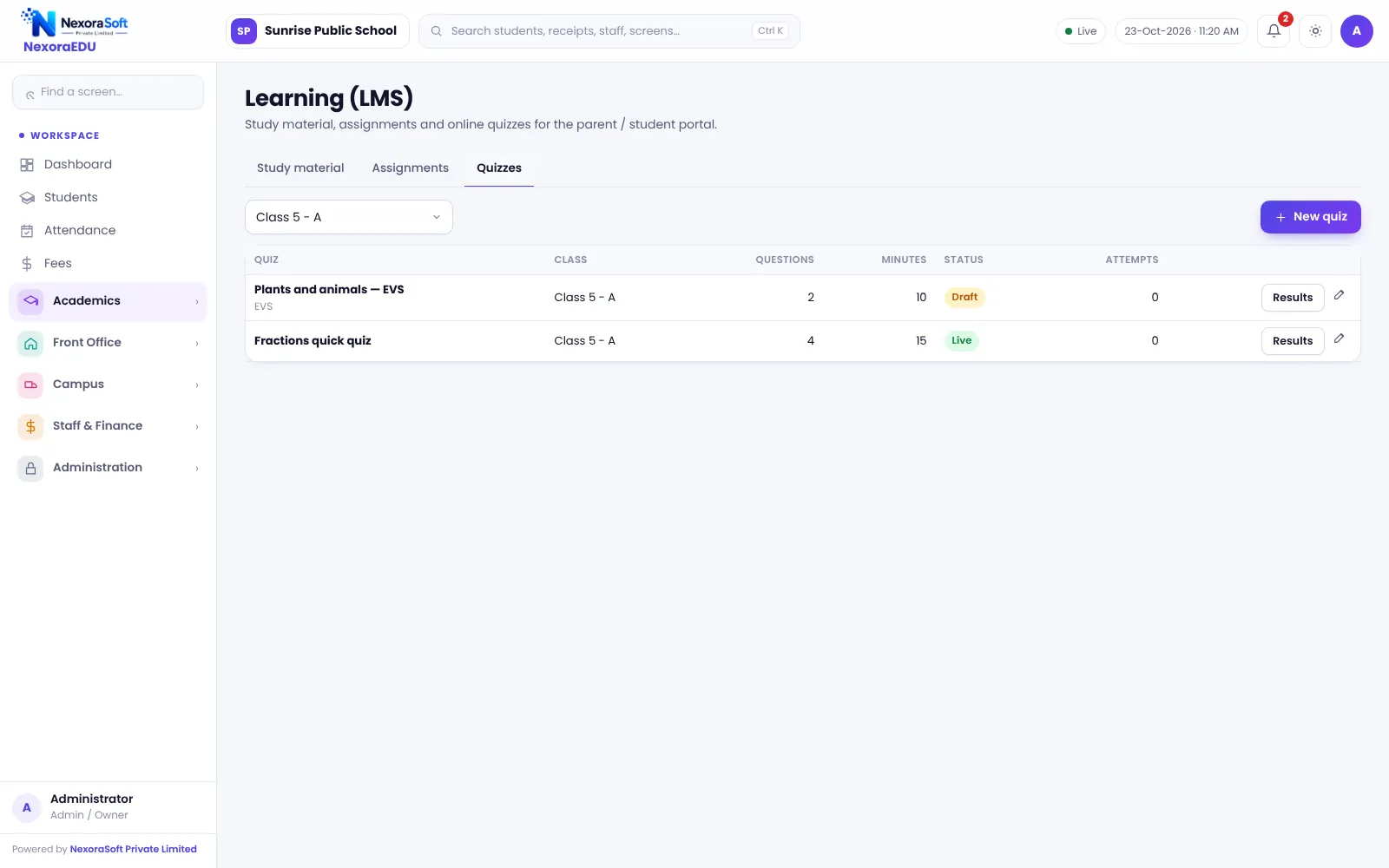
A Light LMS Inside Your School ERP
Many schools need a simple way to share notes, collect homework and run class tests, not a full course platform. When these live in WhatsApp groups and Google Drive links, nothing is tracked and students miss material.
NexoraEDU’s learning module keeps study material, assignments and quizzes in the same system as attendance and results. Students open them from the portal, and teachers manage them for their own classes.
Learning Features in NexoraEDU
Study material
Upload notes and files class-wise and subject-wise.
Assignments
Set due dates, receive submissions and grade them.
MCQ quizzes
Create multiple-choice quizzes with a timer.
Auto-marking
Quizzes are marked automatically and scores are saved.
Teacher scope
Teachers manage only the classes they teach.
Student view
Students open everything from the portal learning section.
Assignments and Quizzes
Teachers post an assignment with a due date, students submit it, and the teacher grades it. For quizzes, the teacher sets questions and a time limit, and the software marks it when the student finishes.
This is a lightweight LMS. It does not include live video classes, proctoring or a full course builder.
- Class and subject based sharing
- Due dates and grading for assignments
- Timed MCQ quizzes
- Automatic marks for quizzes
- Everything inside the student portal
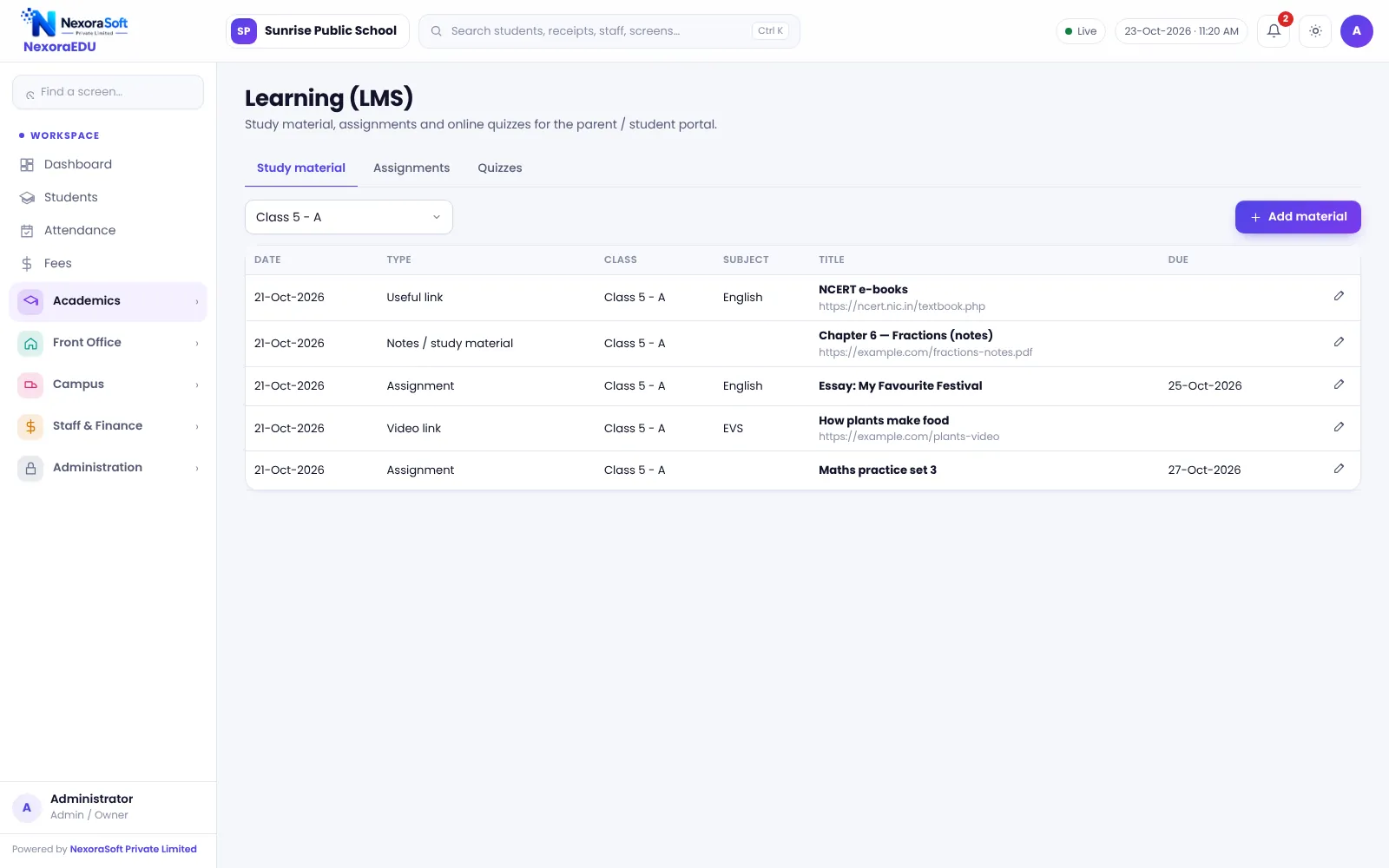
Using the Learning Module
Upload
Teachers upload notes for a class and subject.
Assign
Post an assignment with a due date.
Quiz
Create a timed MCQ quiz.
Students work
Students open the portal and attempt or submit.
Review
Teachers grade assignments and read quiz scores.
LMS at a Glance
| Need | NexoraEDU answer |
|---|---|
| Share notes | Study material |
| Collect homework | Assignments with grading |
| Class tests | Timed MCQ quizzes with auto-marking |
| Live classes | Not included |
| Proctoring | Not included |
Related School Management Software Guides
School Management Software India (full guide)Exam, Result & Report Card SoftwareParent & Student Portal SoftwareSchool Transport Management SoftwareSchool Library Management SoftwareSchool Hostel Management SoftwareSoftware for Coaching Institutes & Tuition CentresSchool Management Software in DelhiOnline Quizzes and Assignments in a School LMSSchool Canteen and Hostel Management Tips
School LMS, Assignment & Online Quiz Software – FAQ
No. The learning module covers study material, assignments and MCQ quizzes. It does not include live video classes or proctoring. Schools that use a video tool for live teaching can still share the notes, assignments and quizzes here, and keep results in one place with attendance and report cards.
Yes. Multiple-choice quizzes are marked automatically when the student submits or when the timer ends, and the score is stored. Teachers can review results by class. Only objective questions are auto-marked; written answers should be handled through assignments that a teacher grades.
Yes. Teachers set an assignment with a due date, students submit from the portal, and the teacher grades it and can add remarks. The grade is visible to the student. Teachers see only their own classes, which keeps different subject teachers from editing each other’s work.
Yes. Teachers can upload notes and files for a class and subject, and students open them in the learning section of the portal. Large videos are better hosted on a video platform and linked, because file size and server storage should be planned with your hosting.
No. Students use the same web portal as parents, with their own login, in any browser. There is no downloadable app, and an internet connection is needed. For exam-style quizzes, we recommend a quiet classroom or lab session so the timer is fair.
See NexoraEDU Working for Your School
Share your classes, fee structure and workflow and get a free live demo of NexoraEDU. No commitment; we typically respond within 24 hours.