Home › School Management Software › School Reports & Analytics Software
School Management SoftwareSchool Reports & Analytics Software
See fee collection, dues, class strength, attendance and results without building spreadsheets. NexoraEDU gives the principal a dashboard and the accounts head clear reports.
Numbers a Principal Actually Needs
A principal wants to know how many students are in each class, how much fee has been collected, which classes are behind on dues and how results compare. Pulling this from registers takes days and arrives too late to act.
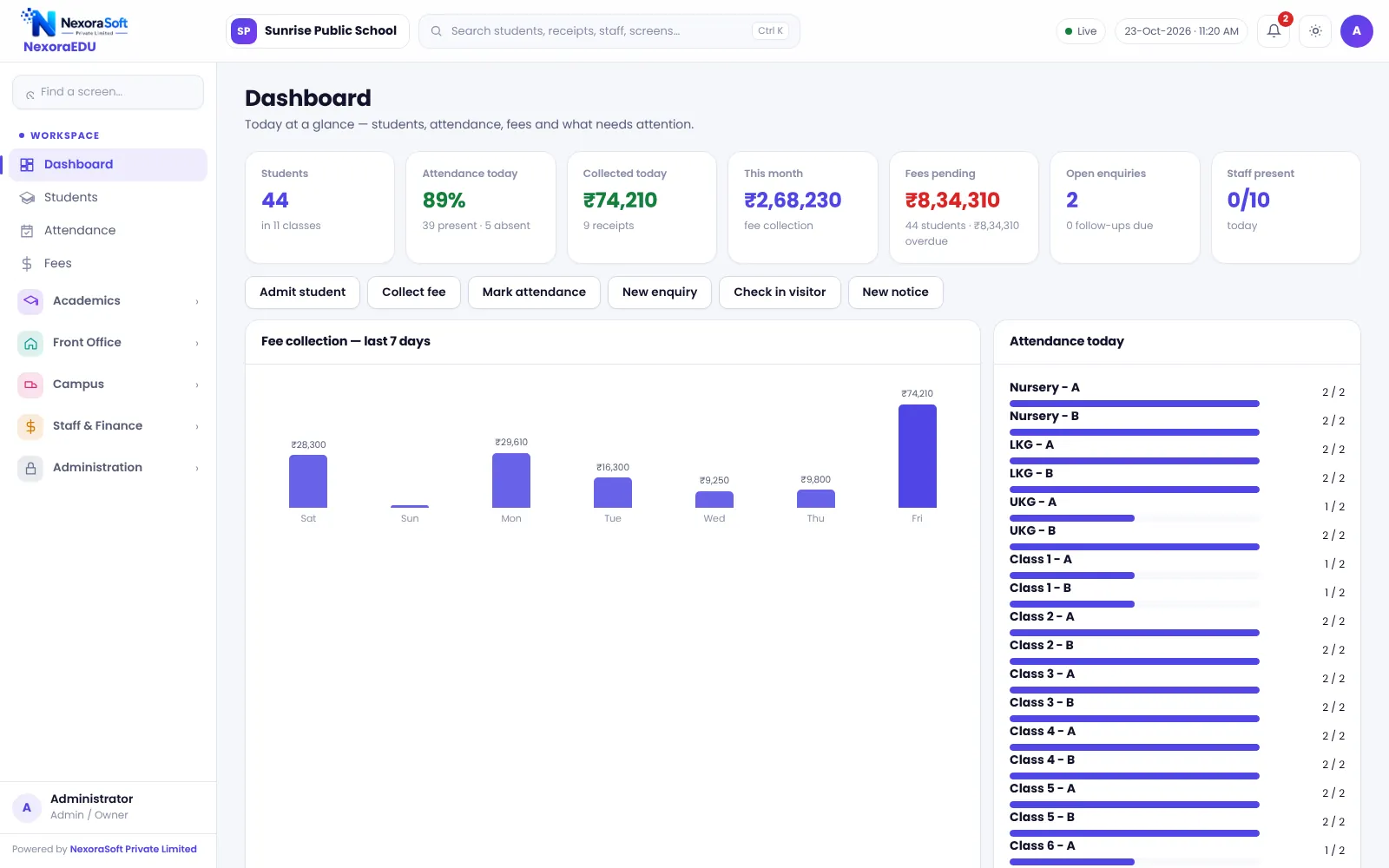
NexoraEDU stores each action once, so reports are a view of live data. The dashboard shows the day at a glance, and the reports page gives detail for accounts, academics and admissions.
Reporting Features in NexoraEDU
Principal dashboard
Students, attendance today, fee collection and dues at a glance.
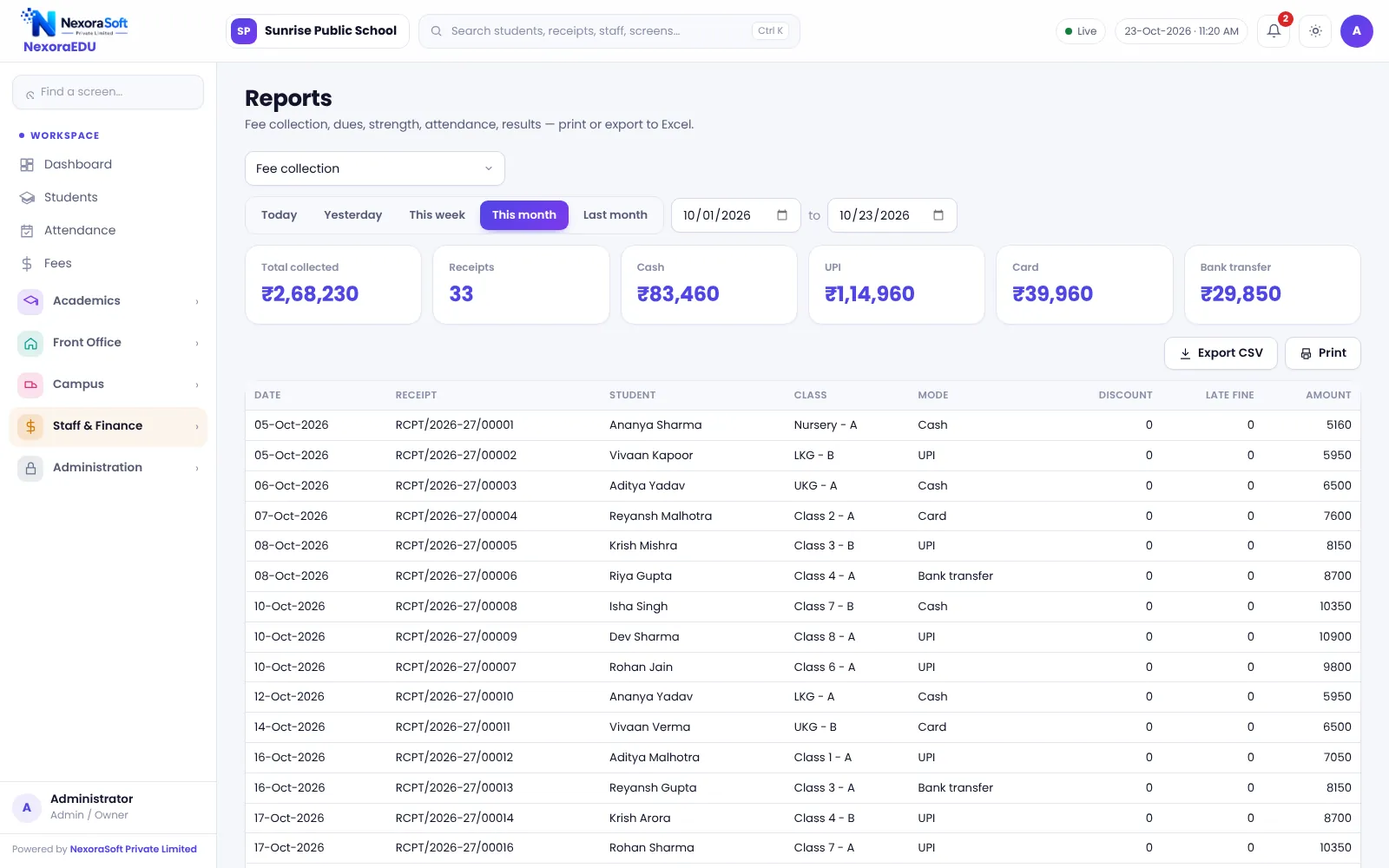
Fee collection report
Collection by date, class, fee head and mode of payment.
Class strength
Students per class and section, with boys and girls.
Results report
Performance by class and subject.
Dues and defaulters
Pending fees by class and student.
Expenses
Spending by head and date.
Reports You Can Rely On
Reports are generated from the same ledger and attendance data your staff enter every day, so there is no separate reporting copy that can drift. Nine standard reports cover fees, students, attendance, results and expenses.
Exports let your accountant take data into the school’s own accounting system. There is no direct Tally integration in this version.
- Dashboard with live totals
- Fee collection by mode and date
- Class strength and gender split
- Results by class and subject
- Print and export
Using Reports Well
Daily
Check the dashboard and today’s attendance.
Weekly
Review dues and defaulters.
Monthly
Check fee collection and expenses.
Term
Read results and attendance together.
Year
Take a backup and export records for audit.
Reports at a Glance
| Need | NexoraEDU answer |
|---|---|
| Daily view | Dashboard |
| Accounts | Fee collection report |
| Admissions | Class strength |
| Academics | Results report |
| Tally integration | Not included |
Related School Management Software Guides
School Management Software India (full guide)Student Admission & Management SoftwareSchool Attendance Management SoftwareSchool Fee Management & Collection SoftwareExam, Result & Report Card SoftwareSchool Management Software Pricing in IndiaSchool ERP vs Excel and Paper RegistersOnline Quizzes and Assignments in a School LMSSchool Canteen and Hostel Management Tips
School Reports & Analytics Software – FAQ
There are nine standard reports, covering areas such as fee collection, class strength, results, attendance, dues and expenses, plus a dashboard for the principal. Reports can be printed and exported. If you need a report in a specific board or inspection format, tell us in the demo and we can discuss adding it.
Yes. The fee collection report lets you view collections by date, class, fee head and mode of payment. This helps accounts reconcile cash, UPI and card totals with bank statements, and helps the principal see which classes pay on time and which lag.
No. There is no direct Tally integration in this version. Reports can be printed or exported and your accountant can post the totals in the school’s books. If you need a Tally export, NexoraSoft can discuss it as custom work, and our other products do include Tally export options.
The dashboard shows key numbers such as students, attendance today, fee collection and dues, with links to the detailed screens. What each user sees depends on role, so you can give the principal a full view and give teachers only their classes.
Yes. Student lists and reports can be exported, and the backup file contains the full data. Before an inspection, ask your staff to check that class and section names are consistent, and use the audit log to explain any sensitive changes.
See NexoraEDU Working for Your School
Share your classes, fee structure and workflow and get a free live demo of NexoraEDU. No commitment; we typically respond within 24 hours.