Home › School Management Software › School Software for Preschools & Play Schools
School Software · NexoraEDUSchool Software for Preschools & Play Schools
Preschools win on trust and parent communication. NexoraEDU gives a small team simple admissions, fee receipts, attendance and notices, without a heavy academic set-up.
PreschoolEnquiriesFeesAttendanceNotices
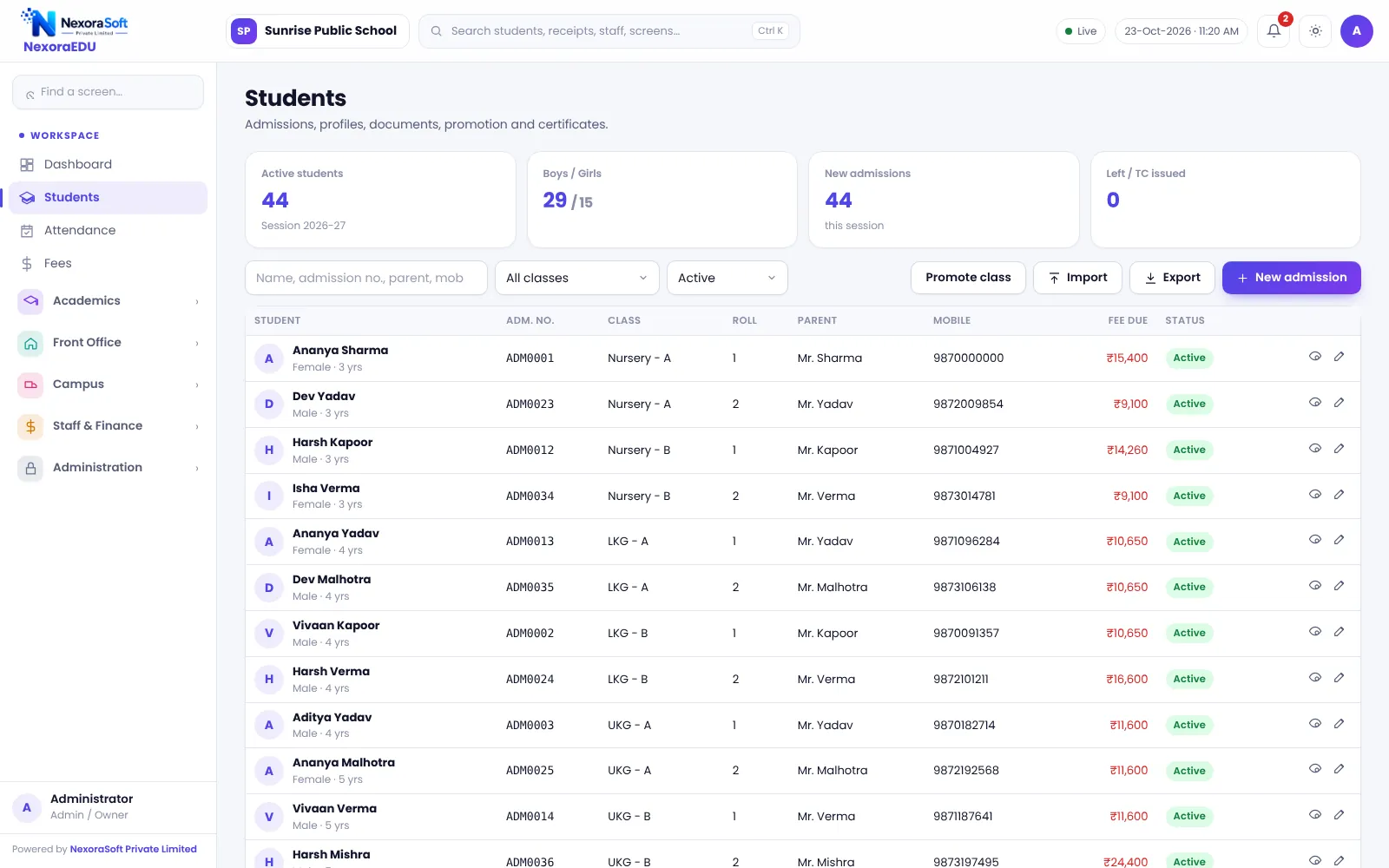
What Preschools Need
A play school has a small team, many enquiries and parents who want regular updates. Fees are often monthly or quarterly, and admissions run through the year.
NexoraEDU suits this: an enquiry pipeline for walk-ins, a quick admission form, a fee counter with receipts, class-wise attendance and notices by WhatsApp click. You can ignore the exam and report card modules.
Challenges and How NexoraEDU Handles Them
Enquiry follow-up
Track walk-in enquiries so no parent is forgotten.
Monthly and quarterly fees
Fee heads and instalments for your plan.
Attendance
Simple daily attendance by class.
Notices
Print or send notices and events by WhatsApp click.
Parent portal
Attendance, fees and notices in a phone browser.
Transport
Route lists and monthly route fee.
Small Team, Simple Workflow
Set up classes such as playgroup, nursery, LKG and UKG, then add children and fee structures. The front desk handles enquiries, fee receipts and notices from the same screen.
Daily activity reports, photo sharing with parents and child-pickup authorisation are not part of this version.
- Enquiry pipeline
- Fee receipts and dues
- Class-wise attendance
- Notices and events
- Optional parent portal
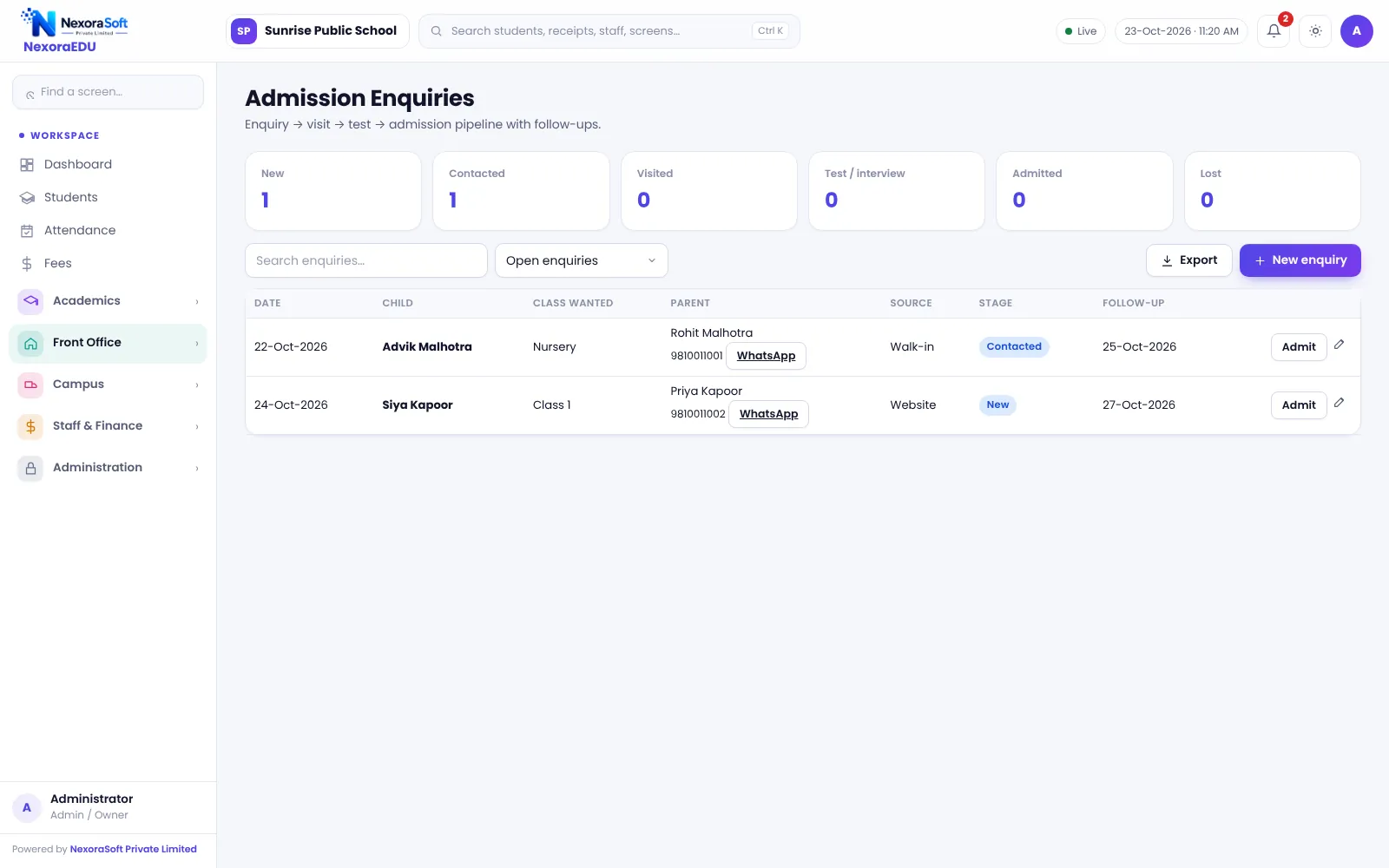
Preschool Needs at a Glance
| Need | NexoraEDU answer |
|---|---|
| Lead tracking | Enquiry pipeline |
| Fees | Counter and receipts |
| Parent updates | Notices and portal |
| Daily activity photos | Not included |
| Pick-up authorisation | Not included |
Getting Started
Set up the school
Add the school name, address and logo, then create classes such as nursery and LKG.
Classes and subjects
Create classes, sections and subjects, and assign class teachers.
Fees and students
Add fee heads and the class-wise structure, then import students from Excel.
Users and training
Create logins with the right roles and train the fee counter and teachers.
Go live
Start with attendance and fees, then switch on exams, portal and campus modules.
Related School Management Software Guides
School Management Software India (full guide)School Fee Management & Collection SoftwareSchool Front Office, Enquiry & Visitor SoftwareSchool Software for Boarding & Residential SchoolsSoftware for Coaching Institutes & Tuition CentresSchool Software for Small & Budget Private SchoolsSchool Management Software in NoidaSchool Admission Process: Enquiry to EnrolmentSchool Library Management GuideSchool ERP vs Excel and Paper Registers
School Software for Preschools & Play Schools – FAQ
No. You can use only the modules you need: enquiries, admission, fees, attendance and notices. Exams and report cards can stay off. Setup is simple, and one person at the front desk can usually run the day. We train your team in a short session at go-live.
Not in this version. NexoraEDU supports notices, events, attendance and the parent portal, but daily activity reports and photo sharing are not included. Many preschools use WhatsApp groups for photos and NexoraEDU for records. Tell us if this is essential and we can discuss a custom feature.
Yes. Set up fee heads and instalments for your plan, such as monthly or quarterly, and the dues list shows who has not paid. Receipts can be printed on A4 or thermal paper. Define a late fine and concession policy first so staff apply the same rule every time.
No. Pick-up authorisation and gate pass are not part of this version, so continue your current process at the gate. The visitor register records who visited the school, which can support your security routine but is not a pickup control.
It can handle admissions, fees and attendance for a day care with simple fee plans. It does not include features specific to day care such as daily meal charts, nap logs or hourly billing. Share your workflow in the demo and we will tell you honestly how much fits.
See NexoraEDU Working for Your School
Share your classes, fee structure and workflow and get a free live demo of NexoraEDU. No commitment; we typically respond within 24 hours.