Home › School Management Software › School Software for CBSE Schools
School Software · NexoraEDUSchool Software for CBSE Schools
CBSE schools carry heavy records: attendance, assessments, fees and certificates. NexoraEDU gives the office one system, with exam terms and grade scale set the way your school follows them.
CBSEReport cardsAttendanceFeesTC & bonafide
What CBSE Schools Need From Software
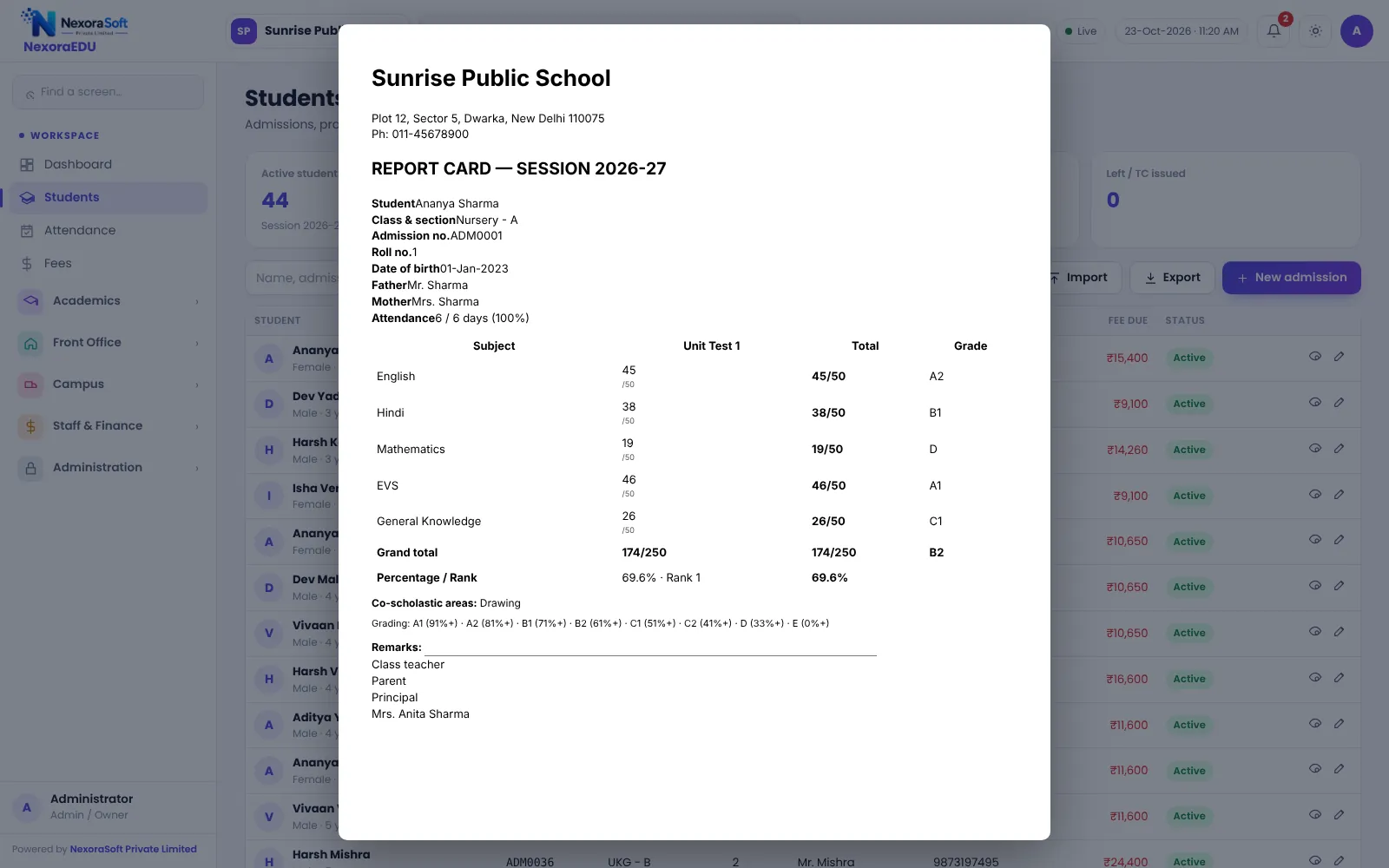
CBSE schools run structured academic years with term exams, internal assessments, co-scholastic remarks and strict record keeping. The office also handles admissions, fee collection and certificates for a large student body.
NexoraEDU does not hard-code any single scheme. You define exam terms, subjects and the grade scale, then enter marks and print report cards. Because circulars and report card formats change, we confirm your layout in the demo.
Challenges and How NexoraEDU Handles Them
Attendance records
Daily class-wise attendance with monthly sheets and percentage per student.
Terms and grades
Exam terms and grade scale set to your school’s pattern.
TC and bonafide
Print a transfer certificate and bonafide from student data.
Fee control
Receipts, concessions with principal PIN and defaulter lists.
Parent communication
Portal and WhatsApp click-to-send for notices.
Teacher scope
Teachers only see their assigned classes.
Configure Once, Use All Year
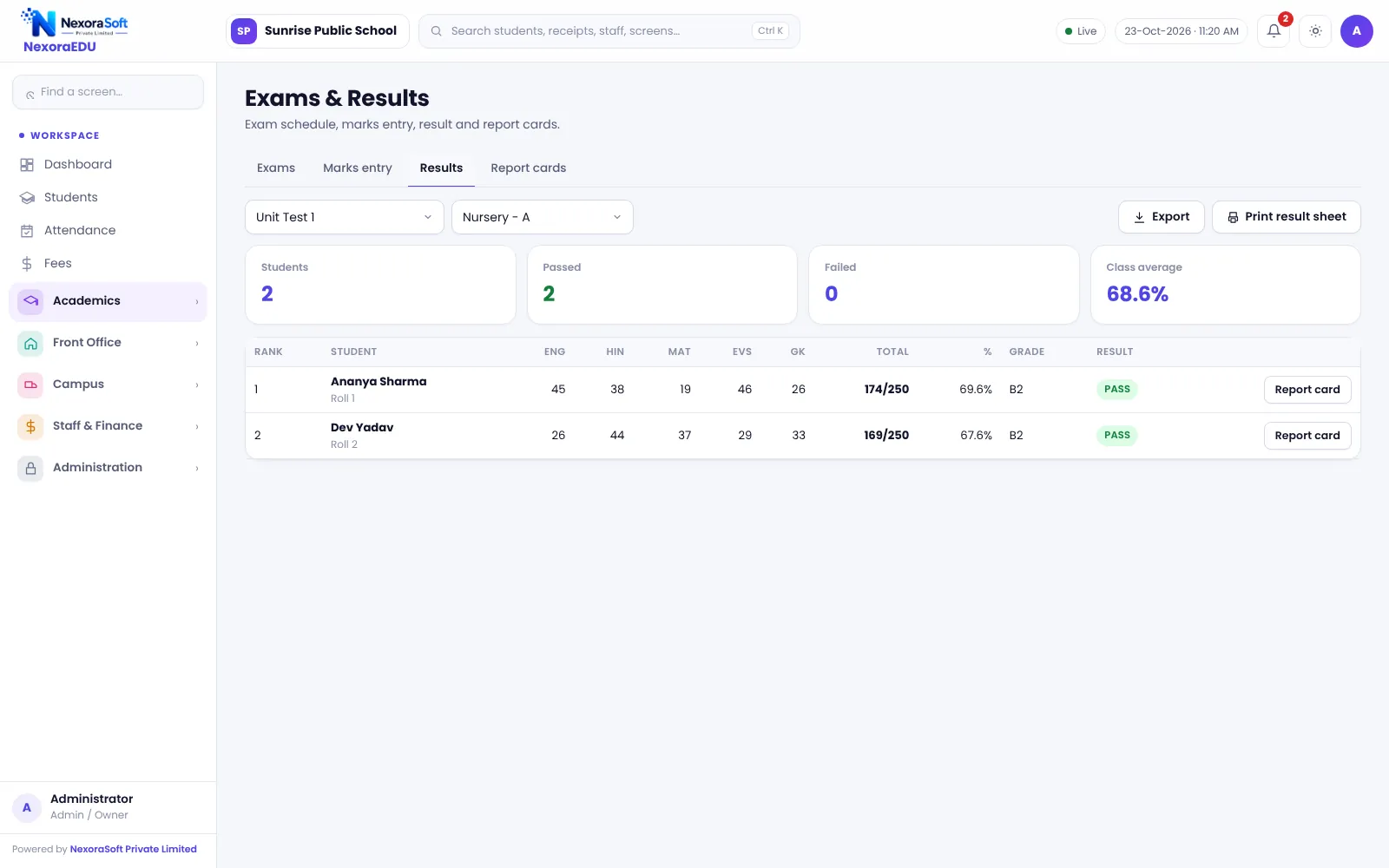
Set classes, sections, subjects and exam terms in the first week. Teachers enter marks for their subjects, the class teacher checks and locks them, and the report card prints with attendance and remarks.
NexoraEDU does not submit data to CBSE portals or generate board registration files; it keeps your internal records clean so that preparing such data is easier.
- Configurable exam terms and grade scale
- Marks lock after verification
- Report cards with attendance
- Student records for TC and certificates
- Audit log for sensitive changes
CBSE School Needs at a Glance
| Need | NexoraEDU answer |
|---|---|
| Term-wise exams | Exam schedule and marks entry |
| Grading | Configurable grade scale |
| Certificates | Bonafide and TC |
| Board portal submission | Not included |
| Parent access | Web portal |
Getting Started
Set up the school
Enter school name, CBSE affiliation number, address and logo in the school profile.
Classes and subjects
Create classes, sections and subjects, and assign class teachers.
Fees and students
Add fee heads and the class-wise structure, then import students from Excel.
Users and training
Create logins with the right roles and train the fee counter and teachers.
Go live
Start with attendance and fees, then switch on exams, portal and campus modules.
Related School Management Software Guides
School Management Software India (full guide)School Attendance Management SoftwareSchool Fee Management & Collection SoftwareExam, Result & Report Card SoftwareSchool Software for ICSE & ISC SchoolsSchool Software for State Board SchoolsSchool Software for IB & International SchoolsHow to Choose School Management SoftwareSchool Fee Collection: How to Reduce DefaultersReport Card and Grading System Guide
School Software for CBSE Schools – FAQ
You configure the grade scale and exam terms, so you can follow the scheme your school uses. We do not claim an automatic update for every CBSE circular. During the demo we set up your pattern and report card layout on sample marks, and you check the output against your current format.
No. NexoraEDU does not upload data to CBSE portals or generate board registration files. It keeps accurate student, attendance and marks records that your office can use when preparing such submissions. If you need an export in a particular format, tell us and we can discuss it.
Yes. Transfer certificates and bonafide certificates are printed from stored student data. Check the layout against the format your school or state follows, since details differ. We can adjust the printed format during set-up, and the audit log records when certificates are printed.
Yes. You can create assessment items as exams or terms, and teachers enter the marks for their subjects. How you combine internal and external marks into a final grade depends on your configuration and should be tested with sample data in the demo before the session starts.
Yes for day-to-day administration. We recommend a trial import of one class first, role-based logins for each office user, and a clear plan for fee counter hours. Hosting should be sized for your student strength, which we discuss during scoping.
See NexoraEDU Working for Your School
Share your classes, fee structure and workflow and get a free live demo of NexoraEDU. No commitment; we typically respond within 24 hours.