Home › School Management Software › School Software for ICSE & ISC Schools
School Software · NexoraEDUSchool Software for ICSE & ISC Schools
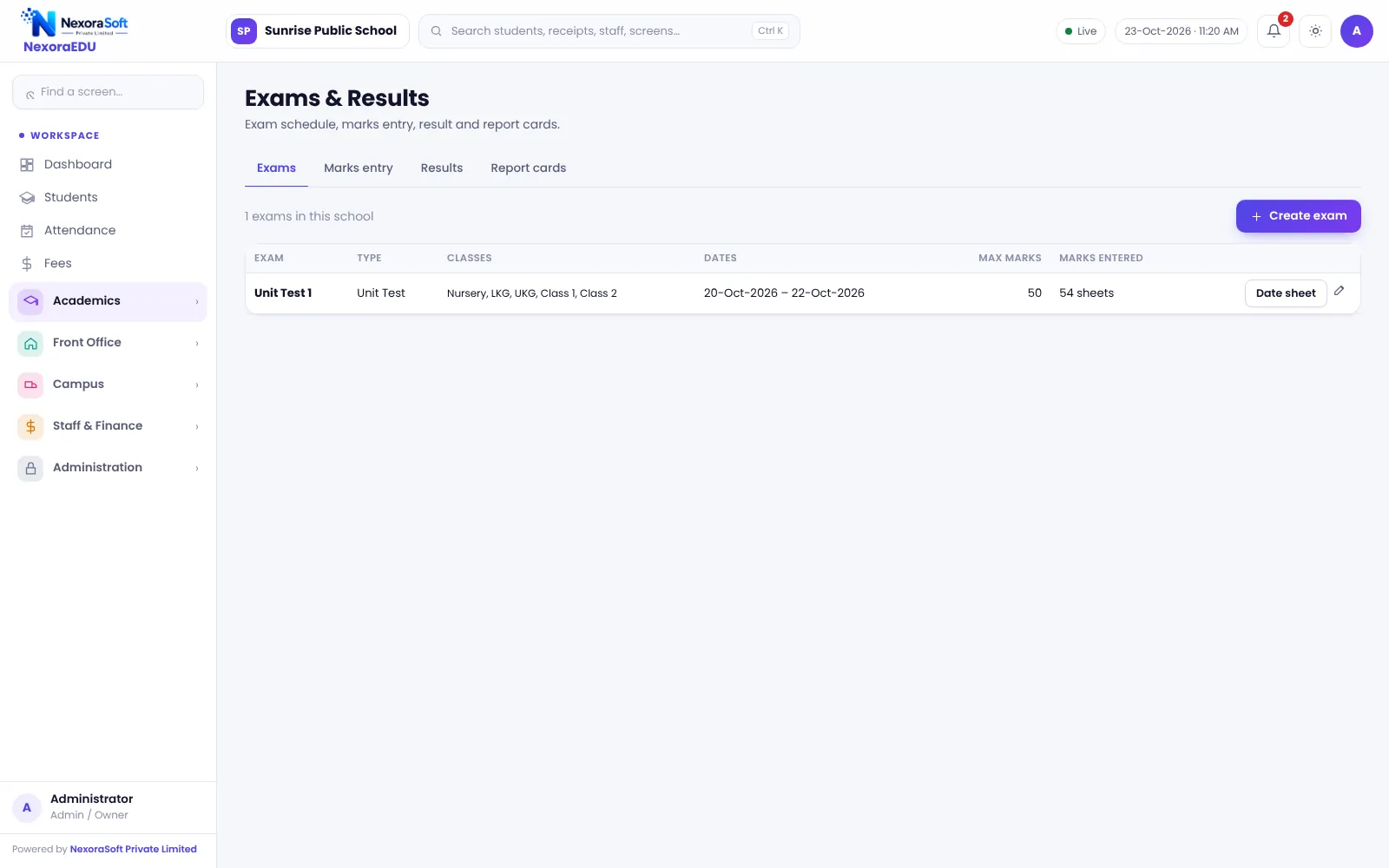
ICSE and ISC schools value structured academics and detailed reports. NexoraEDU lets you configure exam terms, subjects and grade scale and print clear report cards.
ICSEISCSubjectsReport cardsPortal
What ICSE and ISC Schools Need
ICSE and ISC schools often have many subjects, internal assessments, projects and detailed remarks on report cards. Parents expect timely, accurate results and good communication.
NexoraEDU supports a flexible set-up of subjects, exam terms and marks, with locking and rank. We do not hard-code a single board format. Instead we match your school’s report card in the demo.
Challenges and How NexoraEDU Handles Them
Many subjects
Define subjects per class and map them to teachers.
Internal marks
Enter marks per exam or assessment and combine as you configure.
Marks lock
Lock after verification to avoid silent changes.
Rank and grade
Class rank and your grade scale on the result sheet.
Parent portal
Results, attendance and notices in the web portal.
Fees
Counter, receipts, concessions and dues.
Structured Records, Clear Report Cards
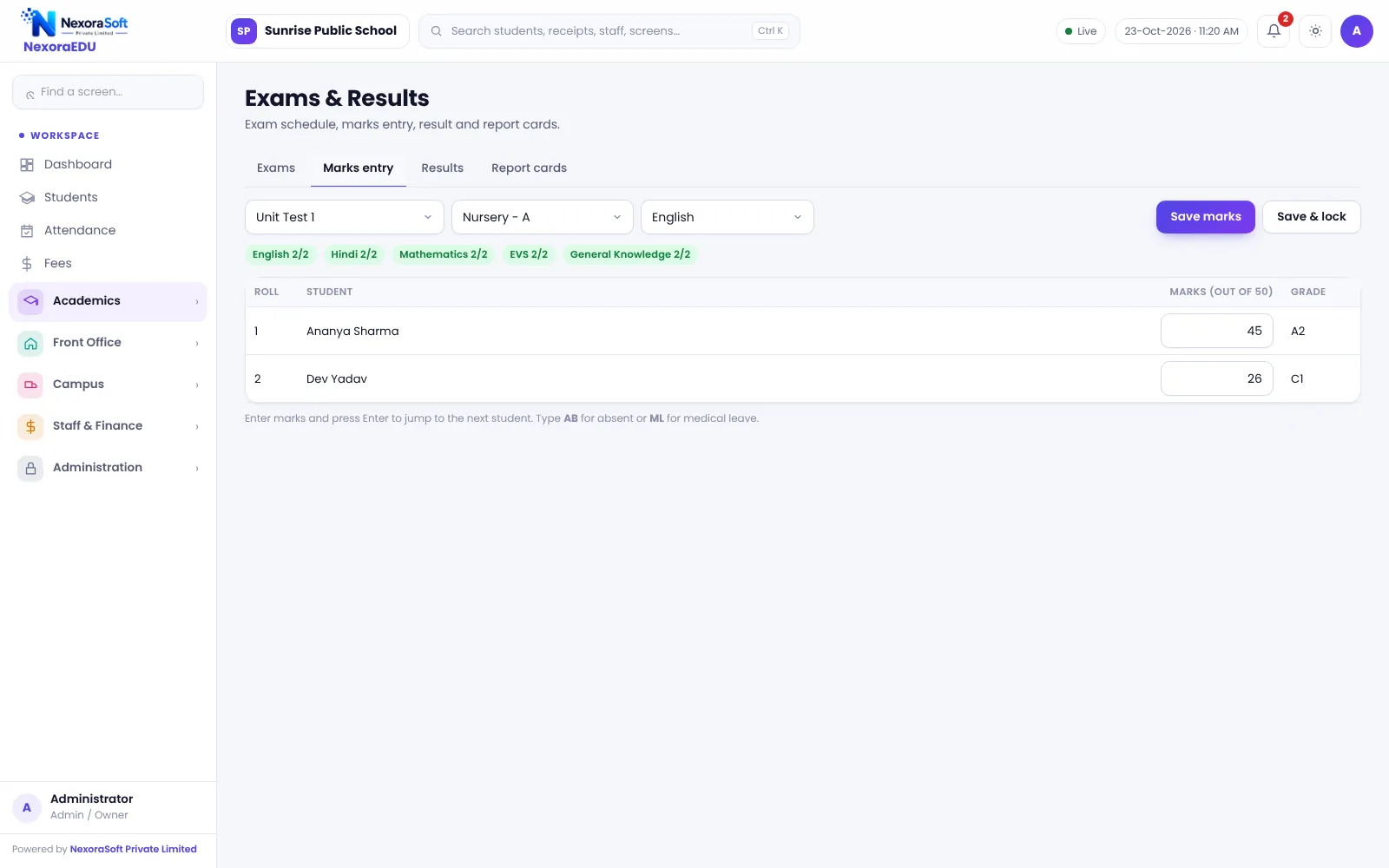
Create classes, sections and subjects, assign subject teachers, then create terms and exams. Teachers enter marks and the class teacher locks them. The results screen gives totals, grade and rank, and report cards print with attendance.
Board-specific forms, practical marks and project components should be tested with sample data in the demo to make sure the layout matches your school’s requirement.
- Subject-teacher mapping
- Exam terms and maximum marks
- Results with rank
- Report card with remarks
- Portal visibility after publishing
ICSE and ISC School Needs at a Glance
| Need | NexoraEDU answer |
|---|---|
| Many subjects | Subject master mapped to classes |
| Internal assessment | Exams entered as assessments |
| Report card | Printable with attendance |
| Board portal upload | Not included |
| Parent access | Web portal |
Getting Started
Set up the school
Enter school name, affiliation details, address and logo in the school profile.
Classes and subjects
Create classes, sections and subjects, and assign class teachers.
Fees and students
Add fee heads and the class-wise structure, then import students from Excel.
Users and training
Create logins with the right roles and train the fee counter and teachers.
Go live
Start with attendance and fees, then switch on exams, portal and campus modules.
Related School Management Software Guides
School Management Software India (full guide)School Timetable Management SoftwareExam, Result & Report Card SoftwareParent & Student Portal SoftwareSchool Software for CBSE SchoolsSchool Software for State Board SchoolsSchool Software for IB & International SchoolsSchool Software for Preschools & Play SchoolsSchool Attendance Management GuideClash-Free School Timetable GuideReport Card and Grading System Guide
School Software for ICSE & ISC Schools – FAQ
Yes. You create exam terms, subjects and maximum marks yourself, so the structure follows your school’s pattern. We recommend building one class’s full exam cycle with sample marks during the demo, so you can compare the printed report card with your current format before you commit.
You can create classes and sections as you need and map subjects to them, so stream-wise subject groups can be organised. Stream rules and subject combinations are set by the school. Test your senior-class set-up in the demo, because elective combinations can be complex.
You can create assessments for projects or practicals as exams with their own maximum marks and combine the results as your school decides. The way totals are combined depends on configuration, so confirm it in the demo with sample students instead of assuming a fixed rule.
Yes. The grade scale is a setting that you control, and results use it for grade calculation. Keep a record of the scale you used each year, since changing it affects how results are displayed. The audit log records sensitive changes.
Parents can see results in the portal once the school publishes them. The printed report card remains available for hand-out at parent-teacher meetings. Publish only after marks are locked and checked by the class teacher.
See NexoraEDU Working for Your School
Share your classes, fee structure and workflow and get a free live demo of NexoraEDU. No commitment; we typically respond within 24 hours.