Attendance is a daily habit and a yearly record. A clear routine, simple codes and a weekly look at low attendance make it useful instead of just required.
Agree the codes first
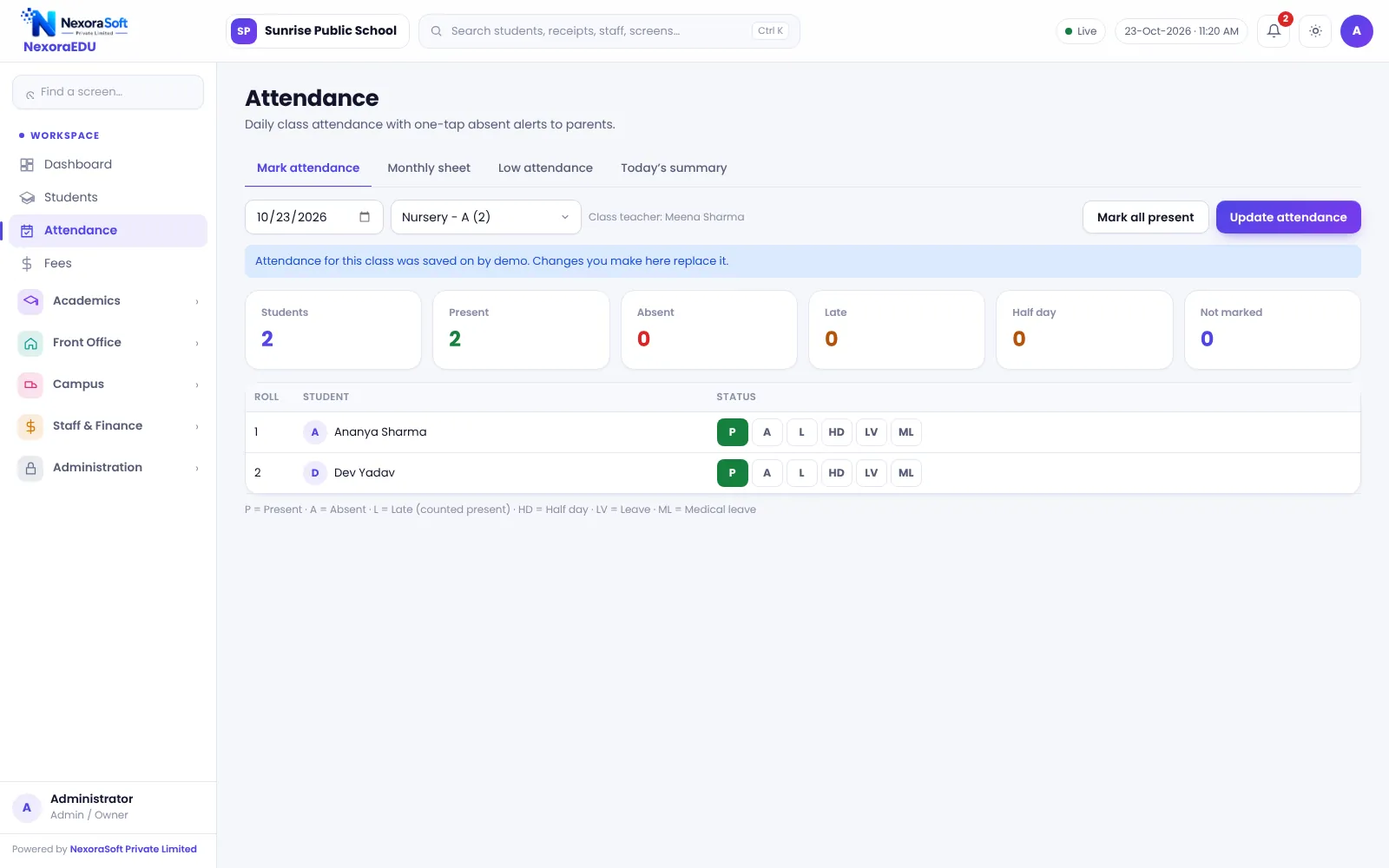
Decide what present, absent, late, half day, leave and medical leave mean in your school. NexoraEDU supports these codes, and late is counted as present.
Mark at the same time every day
- Class teacher marks attendance in the first period.
- Front desk reviews the summary by 10 am.
- Parents of absent students are contacted by WhatsApp click.
- Late changes are made only by the class teacher.
Use the low-attendance list
Set the limit your school follows and review the list weekly. A call in week three is more useful than a notice in term end.
Holidays and special days
Keep the calendar updated so holidays are not marked as absences, and agree how to handle half days and events.
What software cannot do
NexoraEDU does not read biometric, RFID or face data. Attendance is marked by teachers, which keeps the system simple but depends on discipline.
| Code | Meaning |
|---|---|
| P | Present |
| A | Absent |
| L | Late (counted present) |
| HD | Half day |
| LV | Leave |
| ML | Medical leave |
Use attendance data beyond compliance
A monthly sheet shows patterns: a student who is absent every Monday, a class with falling attendance before exams, a section that is always late. These patterns are early warnings. A principal who reviews them weekly can help students before marks fall.
Linking attendance to the report card
NexoraEDU can print attendance on the report card from the same data teachers marked all year. This avoids a separate count at term end and keeps the number consistent with the monthly sheet.
A weekly review routine
- Open the low-attendance list on Monday.
- Class teachers call parents of students below the limit.
- Record the reason in the helpdesk or notes.
- Review again on Friday.
Related guides: School Management Software in India (complete guide)
School Attendance Management SoftwareExam, Result & Report Card SoftwareParent & Student Portal SoftwareSchool Transport Management SoftwareSchool Library Management SoftwareSchool Management Software in GhaziabadClash-Free School Timetable GuideReport Card and Grading System GuideParent-Teacher Communication with a School PortalSchool ERP vs Excel and Paper Registers
See NexoraEDU in Action
Book a free live demo and see admissions, attendance, fees, exams and the parent portal run on your own school data.
Book a Free Demo +91 98115 51004