A good timetable balances subject load, teacher workload and rooms. Planning in the right order, with a clash warning, avoids rework in the first week of term.
Plan in this order
- Fix period timings and breaks.
- List subjects per class with periods per week.
- Map teachers to subjects and classes.
- Place shared resources such as labs first.
- Fill the remaining periods and check clashes.
Watch teacher workload
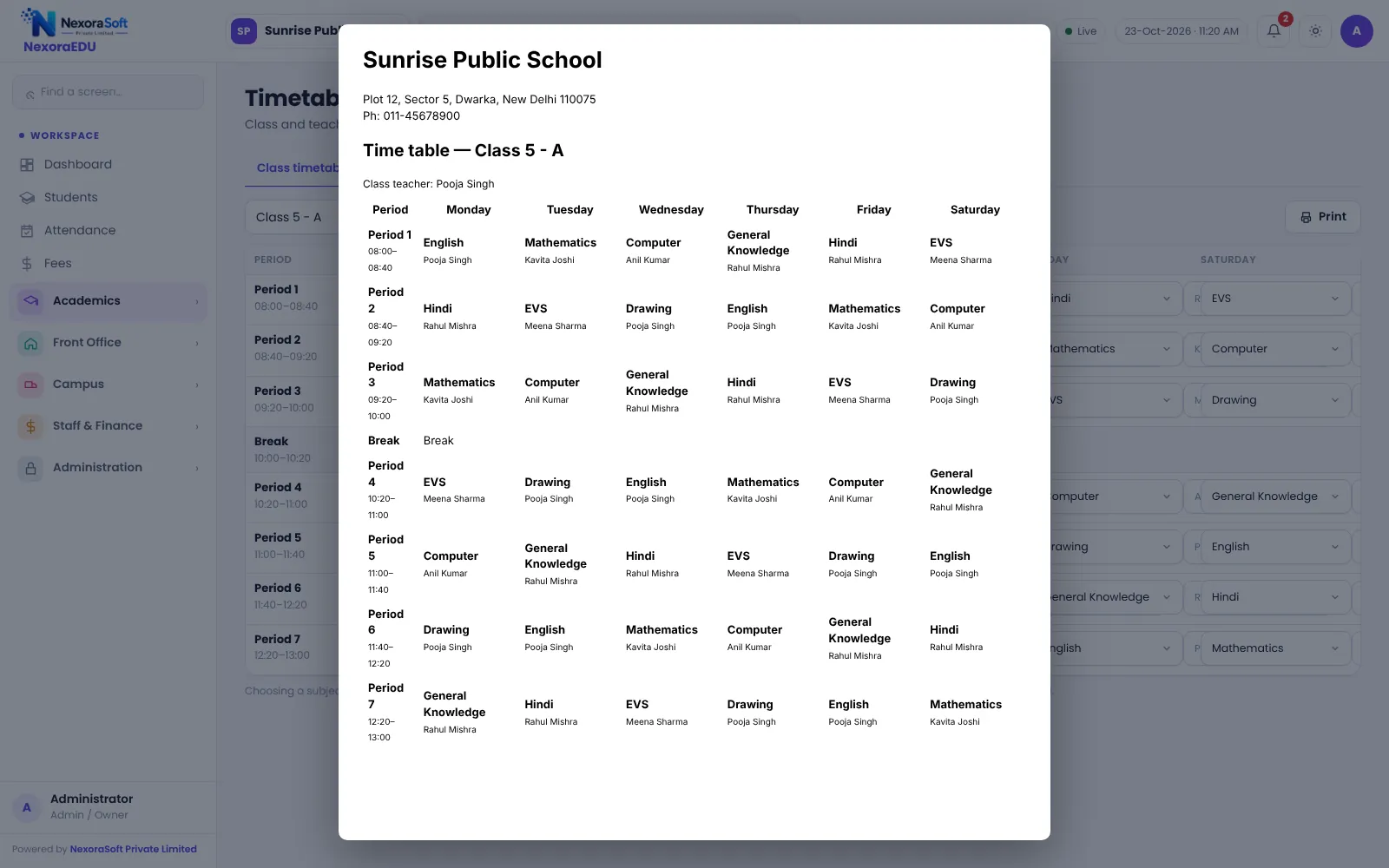
The teacher timetable shows each teacher’s periods in the week. Look for days with back-to-back classes and weeks with too many free periods.
Plan for cover
Teachers will be absent. The free-teachers view shows who has no class in a given period so the coordinator can choose a substitute. Substitution is arranged manually in NexoraEDU.
Share and update
- Print class timetables for the notice board
- Let students and parents view it in the portal
- Update it for every change and tell staff
- Keep last year’s copy for reference
Common clashes
| Clash | Prevention |
|---|---|
| Same teacher two classes | Clash warning while assigning |
| Lab double-booked | Plan lab periods first |
| Too many tests on a day | Check the exam schedule |
| Shared teacher across sections | Review teacher timetable |
Balance the week, not just the day
A good timetable spreads difficult subjects across the day, places sports and labs sensibly and avoids the same teacher taking the last period for every class. The teacher timetable view helps you see these patterns once the grid is filled.
Handle changes during the term
- Change the grid in one place so class and teacher views update together
- Tell staff and students the same day
- Print a new copy for the notice board
- Keep the old version for reference
When a full generator makes sense
Very large schools with many electives sometimes use a dedicated timetable generator. NexoraEDU does not generate timetables automatically in this version, but its clash warning and teacher views make manual planning safe for most schools.
Related guides: School Management Software in India (complete guide)
School Timetable Management SoftwareParent & Student Portal SoftwareSchool Hostel Management SoftwareSchool Canteen & Prepaid Wallet SoftwareSchool Staff Attendance & Payroll SoftwareSchool Management Software in FaridabadSchool Attendance Management GuideReport Card and Grading System GuideParent-Teacher Communication with a School PortalSchool Admission Process: Enquiry to EnrolmentHow to Implement School Software for a New Session
See NexoraEDU in Action
Book a free live demo and see admissions, attendance, fees, exams and the parent portal run on your own school data.
Book a Free Demo +91 98115 51004